It paints beneath the real app
A continuous wallpaper runs under Codex while route-aware translucent layers keep the home screen, tasks, cards, and composer readable.
Codex Dream Skin for Codex Desktop
Codex Dream Skin is an unofficial, reversible theme studio that puts immersive wallpapers behind the real Codex Desktop interface. Use built-in templates, switch skins locally, or create your own clean 16:9 Codex skin.
Works through local loopback CDP. Restore returns Codex to its stock launch path.



What is Codex Dream Skin?
Codex Dream Skin launches the official Codex Desktop app with a local DevTools connection and injects a visual layer into expected renderer windows. It keeps your threads, plugins, sign-in state, provider settings, project picker, composer, and native controls intact.
A continuous wallpaper runs under Codex while route-aware translucent layers keep the home screen, tasks, cards, and composer readable.
Restore closes the managed theme session and returns Codex to the normal launch path. No official app package, signature, or install directory is modified.
A Codex Dream Skin template is a UI-free wallpaper plus metadata for appearance, focus, safe area, and task-page behavior.
Codex Dream Skin examples
These eight local previews show the visual range users expect when searching for Codex Dream Skin. Browse the full skin directory for the larger catalog.
Open all skins



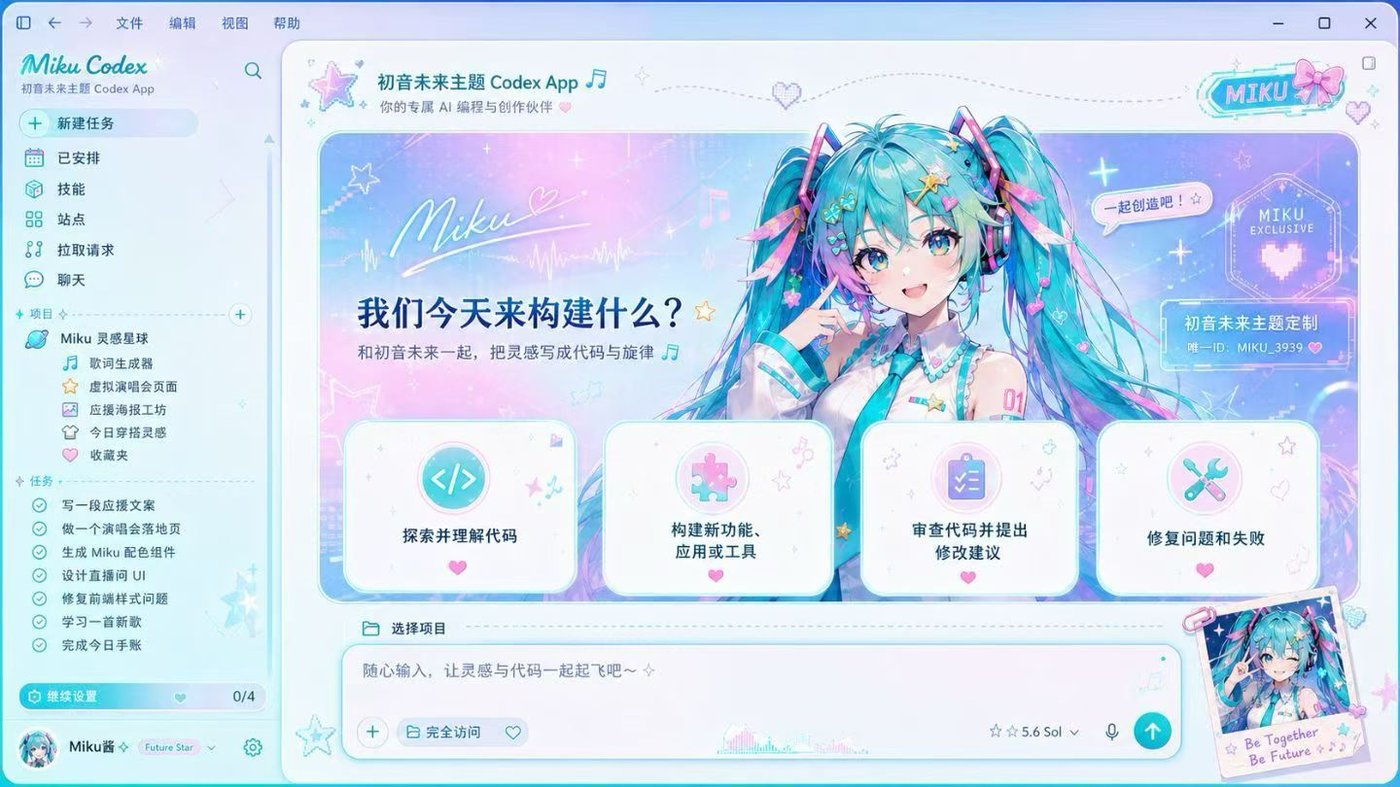

Codex Dream Skin templates
Examples answer “what can it look like?” Templates answer “what files make it installable?” A Codex Dream Skin template is the reusable package behind a visual direction: a clean background.jpg, a theme.json contract, and metadata for readable Codex surfaces.
01 Visual source
Start from a UI-free 16:9 image so the native Codex composer, cards, and thread surfaces stay legible.
02 Skin contract
Store appearance, focal point, safe area, and task-page behavior in a small template contract.
03 Local library
Built-in packs remain stable, while imported wallpapers are saved as separate custom skins you can restore or switch later.
Calm dark aurora layers for a focused baseline.
preset-midnight-aurora
Soft morning pinks for a brighter coding surface.
preset-sakura-dawn
Warm late-day light with low-glare contrast.
preset-amber-dusk
Quiet green atmosphere for readable task pages.
preset-forest-mist
Neon accents for a night-studio feeling.
preset-cyber-neon
How to install Codex Dream Skin
Pick your platform, run the installer, launch the managed skin session, then switch to any saved template by ID or through the menu/tray UI.
macos/ and install the stable runtime.cd macos
./scripts/install-dream-skin-macos.sh --no-launch
~/.codex/codex-dream-skin-studio/scripts/switch-theme-macos.sh \
--id preset-midnight-aurorapowershell -ExecutionPolicy Bypass -File .\windows\scripts\install-dream-skin.ps1
powershell -ExecutionPolicy Bypass -File .\windows\scripts\start-dream-skin.ps1Use switch-theme-macos.sh --id preset-midnight-aurora on macOS, or the Windows tray saved-theme menu. Built-in IDs always start with preset-.
Use the customize command or tray import flow. Choose a pure image, not a screenshot. Codex Dream Skin prepares it into your local theme store.
Use the verify command when checking a new install. Use restore when you want to close the CDP session and return Codex to its normal launch path.
Codex Dream Skin automation
Codex Dream Skin keeps the workflow local and reversible: prepare a template, launch the managed Codex session, inject the visual layer, then switch, verify, or restore without touching the official app package.
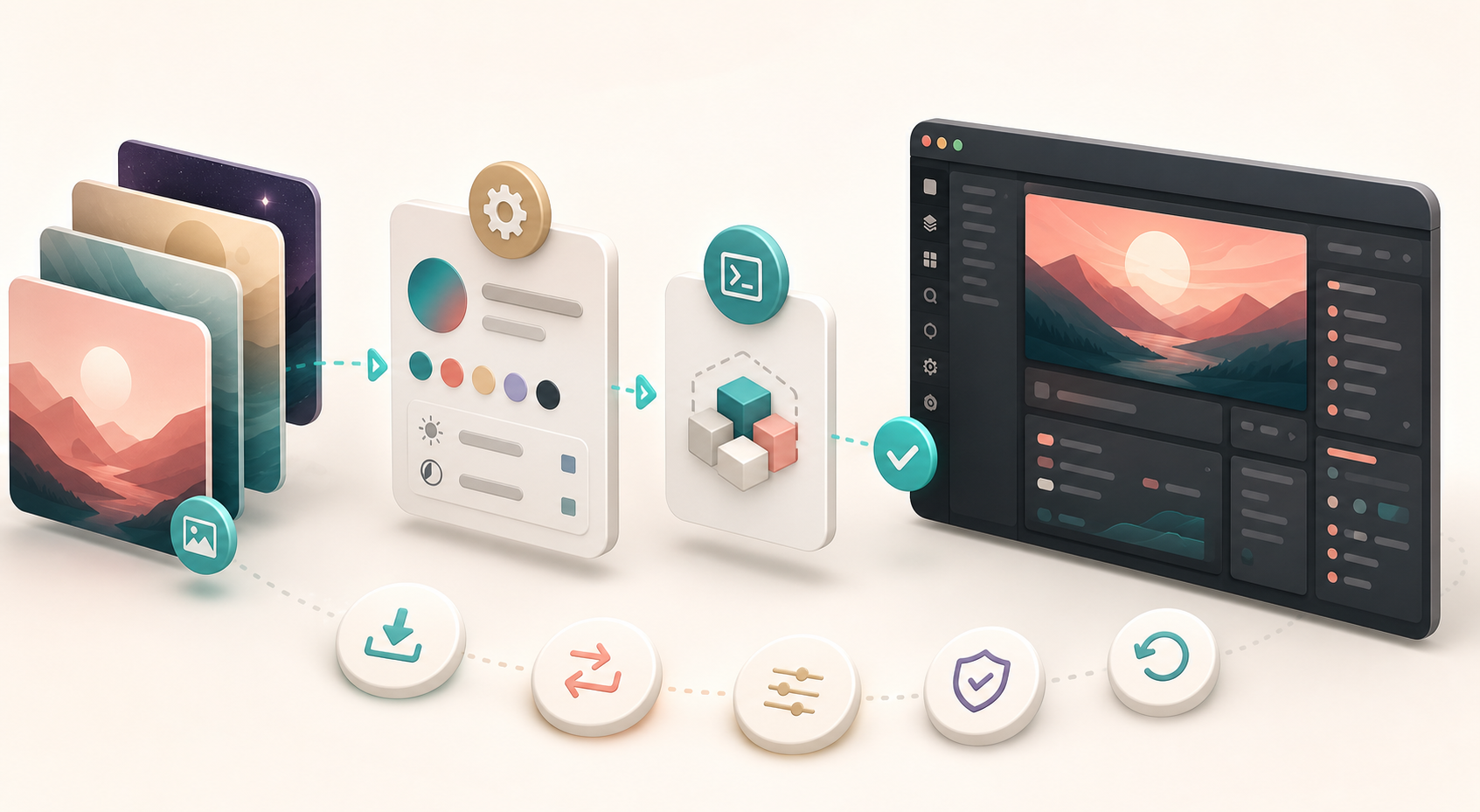
Custom Codex skins
The best custom themes start as a clean wallpaper, then use metadata to tell Codex where the visual focus is and which side should remain safe for native content.
Open the reference prompt guide{
"appearance": "auto",
"art": {
"focusX": 0.72,
"focusY": 0.45,
"safeArea": "left",
"taskMode": "ambient"
}
}FAQ
No. It is an unofficial project for the official Codex Desktop app. It is not affiliated with OpenAI and does not claim to be an official Codex theme system.
No official app package is patched. The project launches Codex with local loopback CDP and injects into expected renderer targets. Restore closes the managed theme session and reopens Codex normally.
No. README screenshots contain real Codex UI and are only previews. Import or switch the UI-free wallpaper pack inside preset-* instead.
No. Theme installation and API/provider configuration are separate. The project explicitly avoids rewriting API Key or Base URL settings.
macOS can read common formats such as PNG, JPEG, HEIC, TIFF, and WebP. The prepared injected file should stay within the documented limits, with 2560 x 1440 as the recommended master.
Rerun install and launch. The scripts rediscover the current app package instead of trusting stale executable paths.
Ready to make Codex yours?